
Keyboard shortcuts
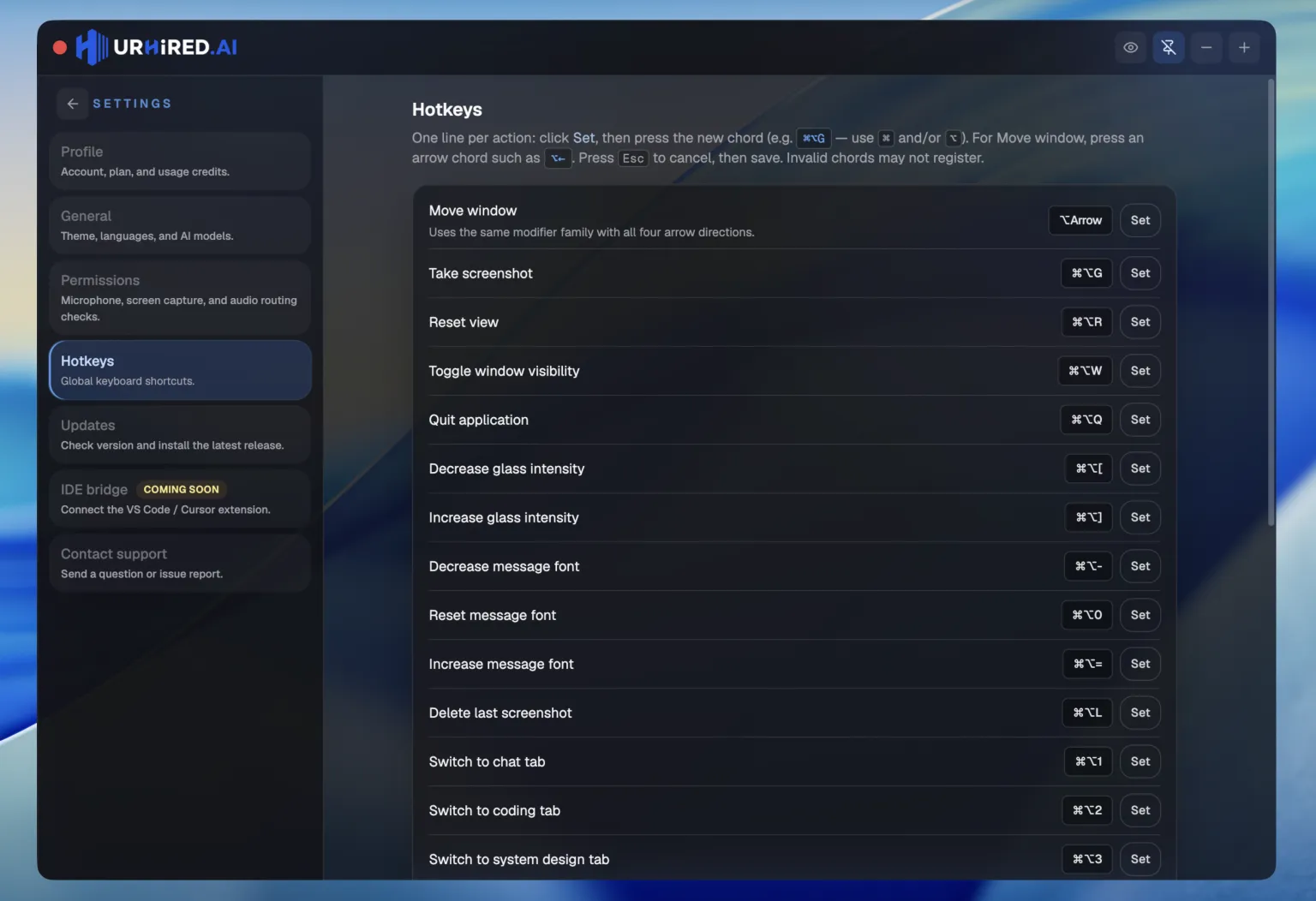
Every global shortcut, with its default binding. All of them are remappable in Settings → Hotkeys.
Reading the table
⌘ is Command on macOS and Control on Windows and Linux. ⌥ is Option / Alt. ⇧ is Shift. One exception: ⌃⌘⇥ is Control+Command+Tab on Mac and Ctrl+Win+Tab on Windows.
The ones to learn first
| Shortcut | Action |
|---|---|
| ⌘⌥W | Hide or show the window — the one to learn first |
| ⌘⌥A | Capture a region, attach it, and send it to the assistant |
| ⌘⌥M | Toggle click-through |
| ⌘⌥↵ | Send what you typed, or the live caption if the draft is empty |
Switching surfaces
| Shortcut | Action |
|---|---|
| ⌘⌥1 | Focus the 1st surface in this interview’s tab order |
| ⌘⌥2 | Focus the 2nd surface in this interview’s tab order |
| ⌘⌥3 | Focus the 3rd surface in this interview’s tab order |
| ⌘⌥4 | Focus the 4th surface in this interview’s tab order |
| ⌃⌘⇥ | Cycle to the next surface tab |
Slots follow the order of support types in your setup — not a fixed mapping to Verbal, Coding, System design, or Project. Empty slots do nothing when that interview has fewer surfaces.
Capture and copy text
| Shortcut | Action |
|---|---|
| ⌘⌥F | Capture a screen region and attach it to the draft |
| ⌘⌥A | Analyze a screen region — capture, attach, and send |
| ⌘⌥O | Copy text from a screen region to your clipboard |
| ⌘⌥⌫ | Delete the most recent capture |
Draft and transcript
| Shortcut | Action |
|---|---|
| ⌘⌥↵ | Send what you typed, or the pending caption, plus any attached screenshots |
| ⌘⌥, | Clear the draft text, keeping attached screenshots |
| ⌘⌥V | Append clipboard text to the draft |
Window and visibility
| Shortcut | Action |
|---|---|
| ⌘⌥W | Show or hide the main window |
| ⌘⌥M | Toggle click-through — clicks pass through the overlay; the hub stays clickable |
| ⌘⌥T | Type into the draft while click-through is on; press again or Escape to hand the keys back |
| ⌘⌥[ | Decrease opacity — workspace more transparent; controls stay solid |
| ⌘⌥] | Increase opacity — workspace more opaque |
| ⌘⌥J | Move the window left |
| ⌘⌥K | Move the window down |
| ⌘⌥L | Move the window right |
| ⌘⌥I | Move the window up |
View
| Shortcut | Action |
|---|---|
| ⌘⌥= | Increase interview message font |
| ⌘⌥- | Decrease interview message font |
| ⌘⌥0 | Reset interview message font to default |
| ⌘⌥↑ | Scroll the focused panel up |
| ⌘⌥↓ | Scroll the focused panel down |
Session
| Shortcut | Action |
|---|---|
| ⌘⌥R | Reset view — cancel in-progress requests and reset the interview UI |
| ⌘⌥B | Toggle web search for the active surface, when that surface supports it |
| ⌘⌥Q | Quit the application |
Remapping
Open Settings → Hotkeys, click Set on a row, and press the new combination. Move window is one binding for the modifier chord; the directions stay J / K / L / I.
Watch for conflicts
These are global shortcuts — they fire regardless of which app has focus. If one collides with something your OS or another app already uses, rebind it here rather than fighting the conflict mid-interview.