
Verbal copilot
On the call, the verbal surface captions the question as it is asked, then drafts an answer from your resume. You speak it yourself. It covers behavioral questions and any other conversation rather than a problem.
This is the verbal surface of the interview copilot.
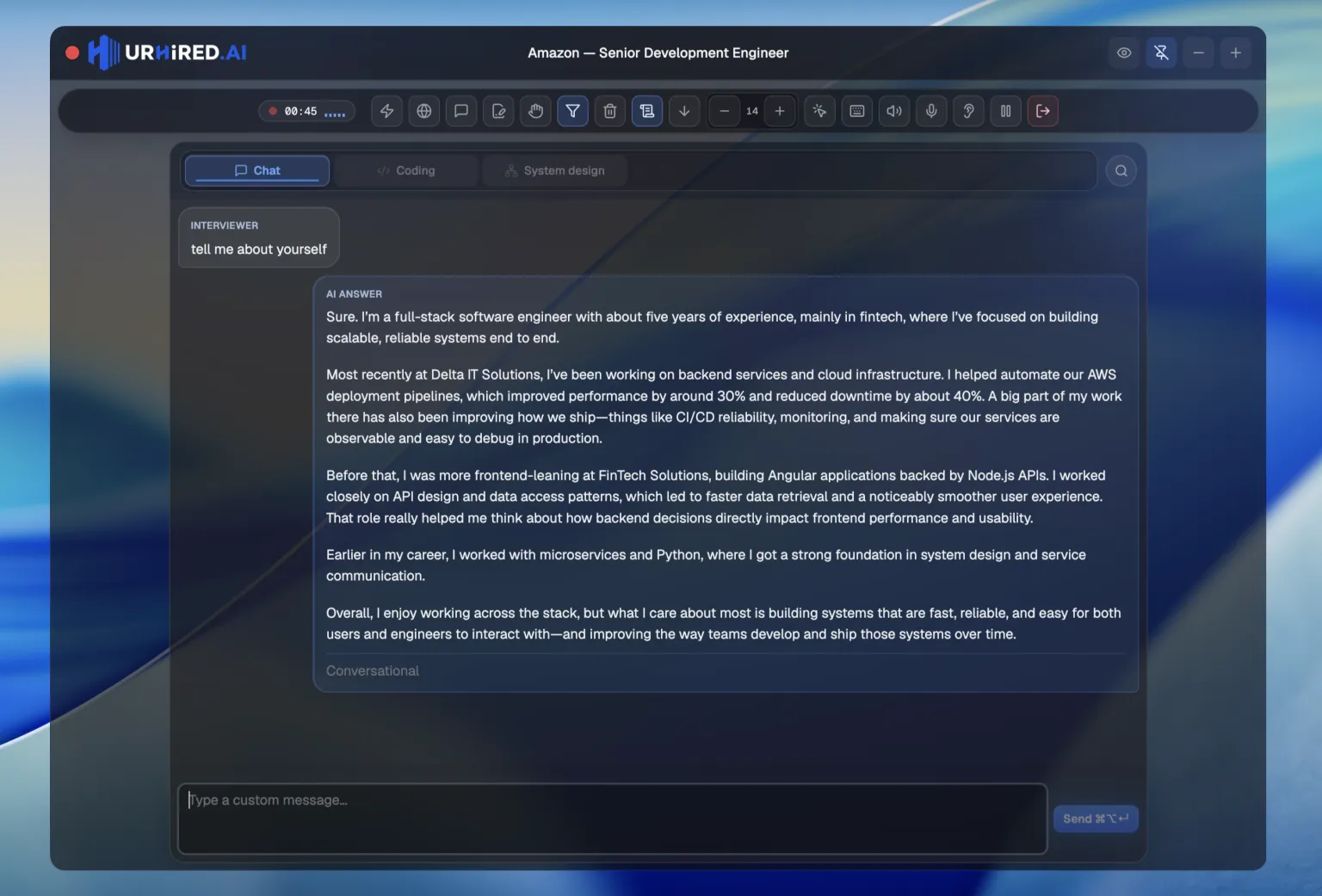
Using it
Press the shortcut for Verbal’s slot in this interview (often ⌘⌥1 when it is first) to focus that surface. The interviewer’s words land in the draft as they are transcribed. Type or paste when you want a different question. Send posts whichever is there.
First words of a suggested answer: under 100 ms for Verbal; up to about 5 seconds for Live coding, System design and Project.
Pick a style before you need it
Answer style changes the shape of every response. Set it in the control bar; you can change it mid-round as the conversation shifts.
| Style | What it gives you |
|---|---|
| Conversational | Natural phrasing that sounds like speech, not a document. |
| Hints | A nudge toward the answer. You still do the thinking. |
| Structured | Explicit reasoning steps, laid out in order. |
| STAR | Situation, Task, Action, Result — the behavioral standard. |
| Explain | Phrased to be read out loud without sounding written. |
Grounding
With a resume and job description attached in the setup, answers reference your real experience. Without them you get competent but generic output — which is exactly what an interviewer has heard forty times that month.
Per-thread instructions
Each surface is its own thread, and you can give a thread standing instructions from the control bar — "keep answers under a minute", "assume a staff-level audience", "do not mention my current employer by name". These apply to every response on that thread and sit on top of your answer style, without changing the prompt saved on that interview’s custom scenario.