History & report
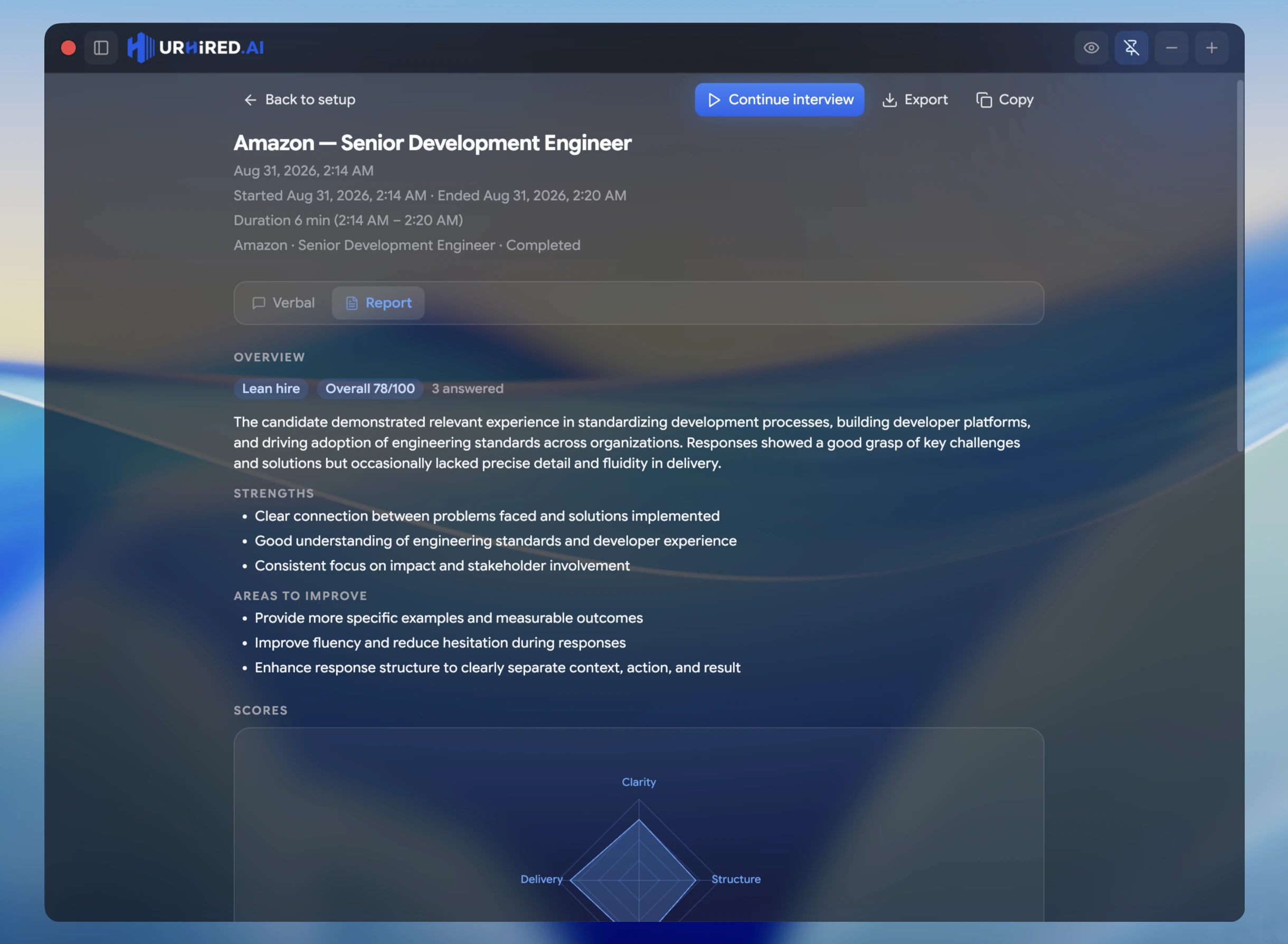
Every session is saved. Afterwards you can reopen it, pick up where you left off, export the whole thing, or read a scored report of how it went.
Your interview history
Each session is saved to your account as its own thread — questions, answers, and every surface you used — kept separate from the others so a four-round loop stays four distinct records rather than one blur.
Continue a session
Open a past interview from history and Continue interview to reopen it as a live session with all of its context intact. Useful when a round runs long and resumes after a break, or when you want to keep practising against the same setup.
Export the transcript
Export writes the session to a Markdown file (and copies it to your clipboard), so you can review it outside the app, drop it into your notes, or turn a real question into deliberate practice later.
The interview report
Each saved session has a Report tab: a structured, scored review across weighted dimensions, so you can see where a round was strong and where it was not rather than relying on memory of how it felt. Mock interviews add highlights, sample answers, and a hire signal. It is a review of your own session for your own use — not a score anyone else sees.